LinkedIn put its logo on your video
LinkedIn’s mobile app appears to lay a small logo across the top of videos. Every app covers a different part of the frame, so check yours on a phone.
On this page
TL;DR
Your edit says, “Here’s the hook.” The phone says, “Here’s a logo where the hook was.”
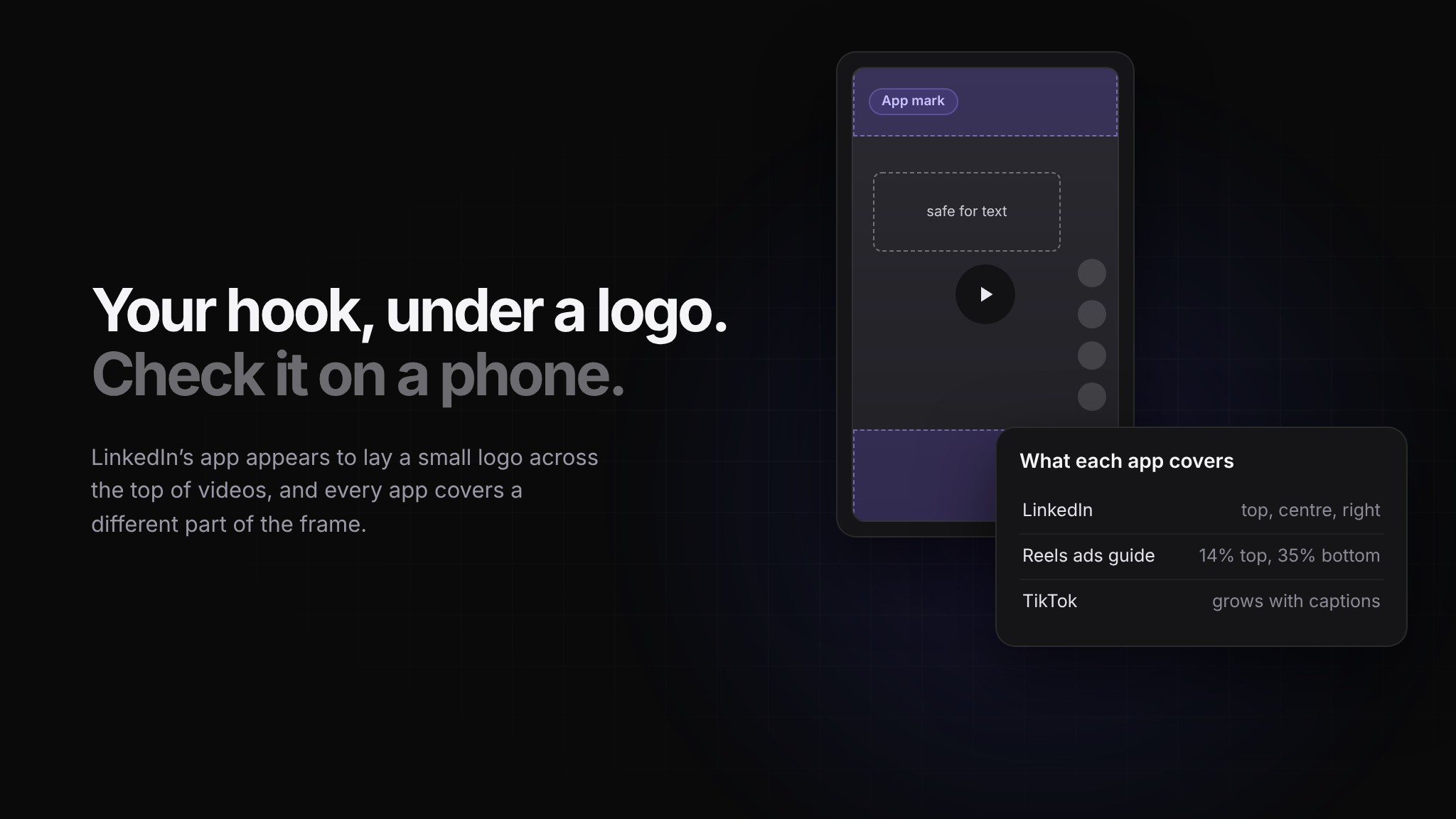
LinkedIn’s mobile app appears to lay a small logo across roughly the top 15% of videos, and every app covers a different part of the frame.
Before you post, ask yourself: “Have I watched this on a phone, in the app it’s going to?”
Open a LinkedIn video on your phone and look at the top of the frame. There is a small LinkedIn logo sitting there now, across roughly the top 15% of the picture. Creator Heike Young noticed it on 3 October and then did something most of us never do. She circled every part of the screen where LinkedIn's interface sits on top of the video.
The frame you edit is not the frame people see
Her map is worth a minute. Along the top run a back arrow and the new logo. In the middle sits a play button. Like, comment, share and save stack down the right edge, and the author name and caption fill the bottom. What is left for you is a window in the middle of the video, a little above centre and well clear of the right side.
The middle is the surprise. Young counts the play button because she believes many members have autoplay switched off, and LinkedIn does let people turn it off in their settings. For those viewers, a face framed dead centre sits behind a round button until they tap.
Nobody watches their own video the way the audience does
We edit on a laptop, full screen, in the clean export window. The audience watches on a phone with buttons laid over the top. And because we already know what the title card says, we read it even when half of it is covered. Strangers scrolling past have no such advantage. They see a logo where your hook was and keep going.
That is why covered text survives so long. It is invisible to the one person who could fix it.
Every app eats a different part of the frame
LinkedIn is not unusual, only newly crowded. Meta's ads guide for Instagram Reels asks for roughly the top 14%, the bottom 35% and 6% on each side to be kept free of text and logos. TikTok publishes downloadable safe-zone templates for in-feed ads and warns that the safe area shrinks as captions get longer. LinkedIn's own help page says to keep the edges clear and gives no numbers at all.
So the same export lands differently in each app. Captions that sit comfortably above LinkedIn's bottom bar can disappear into the Reels caption zone, and a hook pushed high to escape Reels now runs into LinkedIn's logo. One video, cut once and posted everywhere, gets covered somewhere.
Build the overlay once
The fix is cheap and dull, which is why so few people do it. Post a test video, screenshot it on a phone in each app you use, and drop those screenshots into your editing template as guide layers. From then on you are editing against the real screen, not the empty one.
With the guides in place, the rules mostly write themselves. Hook text goes in the upper-middle band, below LinkedIn's logo and above the play button. Faces sit slightly above or to one side of dead centre. Calls to action stay off the right edge, which now belongs to the buttons. If the same video goes to several networks, make one export per platform with the captions moved rather than one export that compromises everywhere.
Then go back through your last five videos on a phone, not a laptop, and count how many had text under something. Re-export the worst one with the captions moved and see whether it holds attention any better.
The logo is probably staying
Young's guess is branding. When someone screenshots a LinkedIn video and shares it elsewhere, the logo goes with it. LinkedIn has not confirmed the mark or said why it is there, but a free advert on every shared screenshot is not something platforms tend to give back.
The frame belongs to the app first and to you second. The good news is that the app shows you exactly where it is standing, as long as you look at your work on the same screen your audience does.